Soracom Query includes a Free plan for every account, plus two paid plans to suit different needs:
- Free: Every account includes 500 free queries with no expiration date, so you can evaluate Soracom Query at your own pace without subscribing to a paid plan.
- Business: Standard monthly subscription enabling daily IoT data analysis for your fleet of devices.
- Enterprise: Customized plan with advanced options for database connections, cross-operator analytics, and dedicated support.
All plans support both Simple and Advanced modes.
Plan Details
| Item | Free*1 | Business | Enterprise |
|---|---|---|---|
| Time limitations | None | None | None |
| Included queries | 500 in total*2 | 2,000 per month included (fees apply for additional queries) | Contact us |
| Query execution time | Up to 60 seconds | Up to 60 seconds | Contact us |
| Data period | Last 40 days of data | Last 40 days of data | Contact us |
| Retention period | Up to 731 days*3 | Up to 731 days*3 | Contact us |
| Access options | User Console and API Visualization with Lagoon | User Console and API Visualization with Lagoon | User Console and API Visualization with Lagoon Direct database connection |
| Advanced features | None | None | Query across multiple Soracom accounts Custom reports |
**\*2** - The free queries are a total allowance and do not reset monthly. Once you use all of your free queries, additional queries will stop. Upgrade to the Business or Enterprise plans to continue.
**\*3** - You can query data only within the retention period of the source service. For example, Harvest Data retains 40 days of data by default, so you can query back up to the last 40 days. When the [Extended Data Retention](/en/services/harvest/configuration#extended-data-retention) option is enabled, you can query back up to the last 731 days.
Query plans and free queries are separate for each coverage type (Global coverage and Japan coverage), allowing you to evaluate Query for each coverage type independently. You can also mix and match, such as subscribing to the Business plan for Global coverage while using the Free plan for Japan coverage, to fit your requirements.
Plan Management
In this section, we explain how to use the Free plan and how to subscribe to and manage the Business and Enterprise plans.
Using the Free Plan
The free queries are available automatically, with no registration required:
-
Sign in to the User Console as the Root user and select the appropriate coverage type.
-
From the Menu, expand Soracom Query and select Soracom Query.
-
Click Try Now to launch Soracom Query Studio and start using Query.
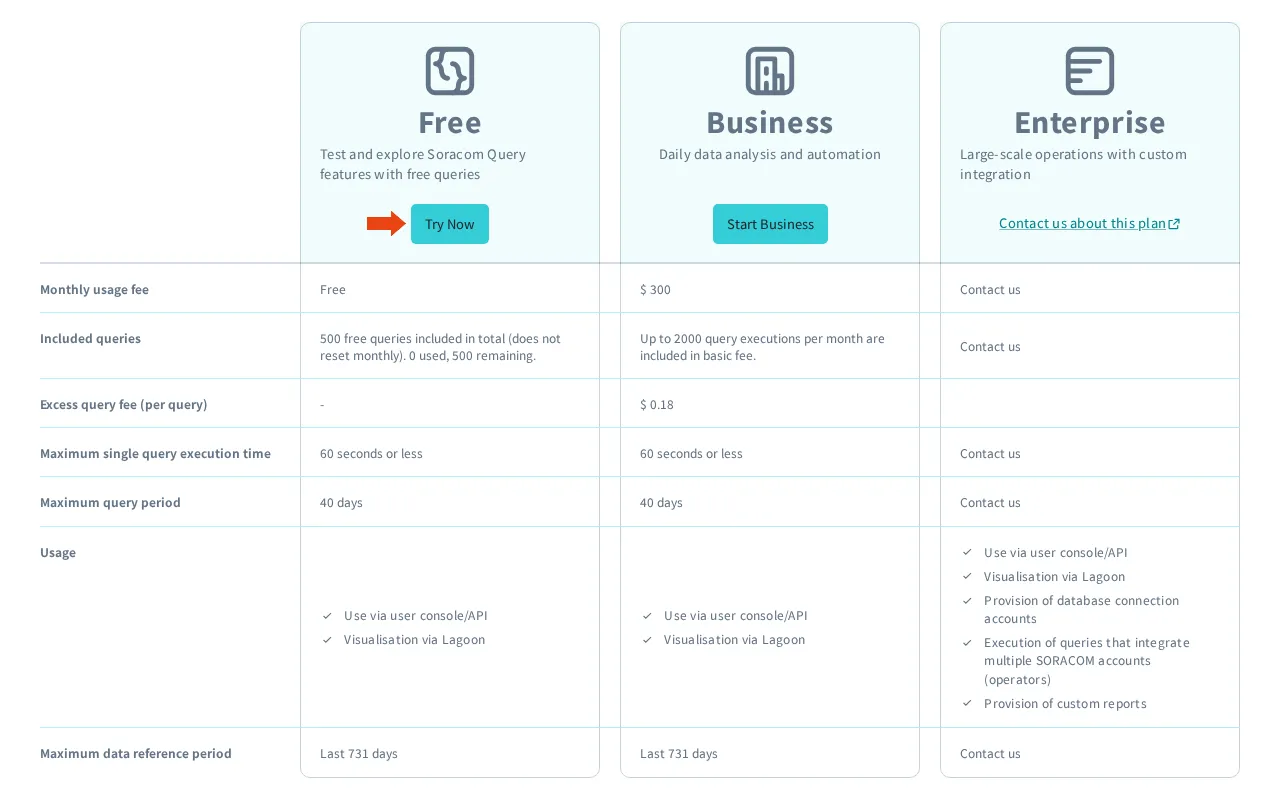
You can check your remaining free queries on the Soracom Query page in the User Console, and in the Soracom Query Studio user menu, where they are shown as Free queries. A notice is displayed as you approach the limit.
Starting a Business Plan
-
Sign in to the User Console as the Root user and select the appropriate coverage type.
-
From the Menu, expand Soracom Query and select Soracom Query.
-
Click Contact us about this plan.
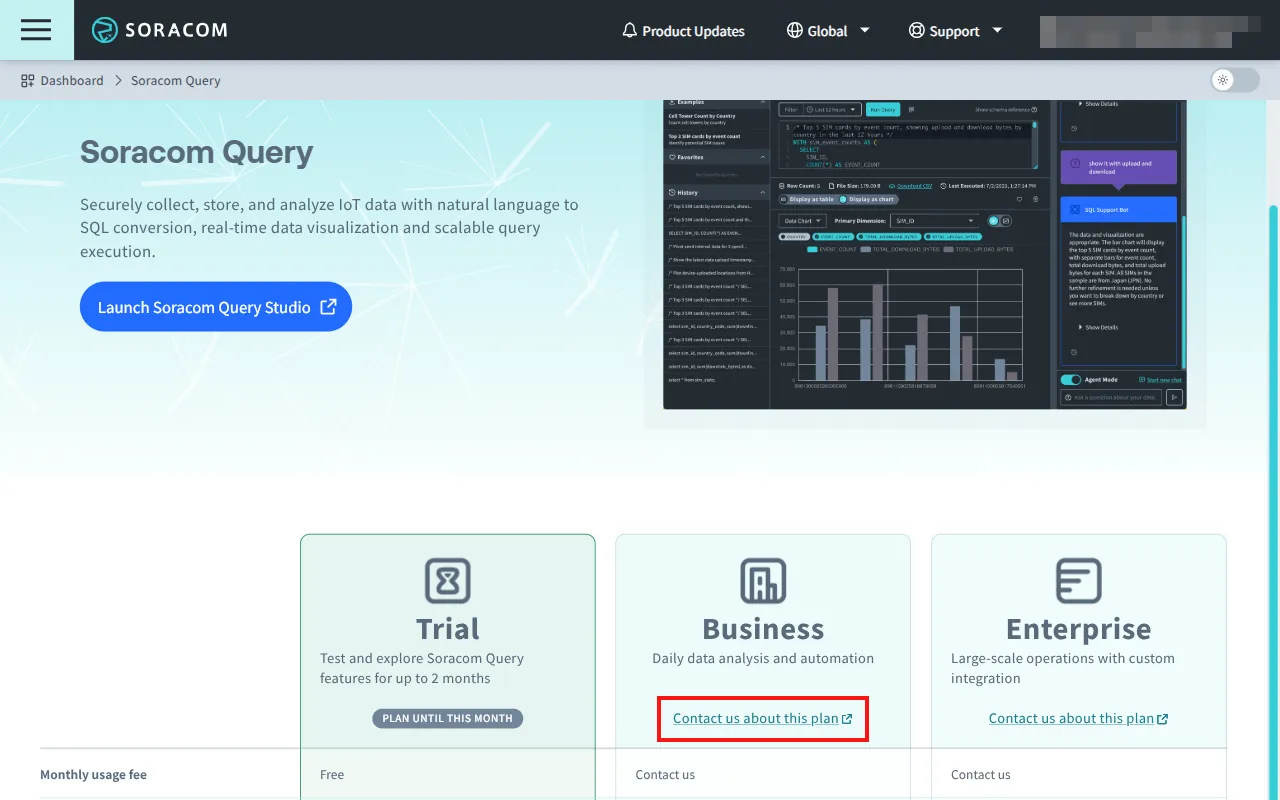
A Soracom representative will contact you to discuss your requirements and prepare a custom plan.
Starting an Enterprise Plan
-
Sign in to the User Console as the Root user and select the appropriate coverage type.
-
From the Menu, expand Soracom Query and select Soracom Query.
-
Click Contact us about this plan.
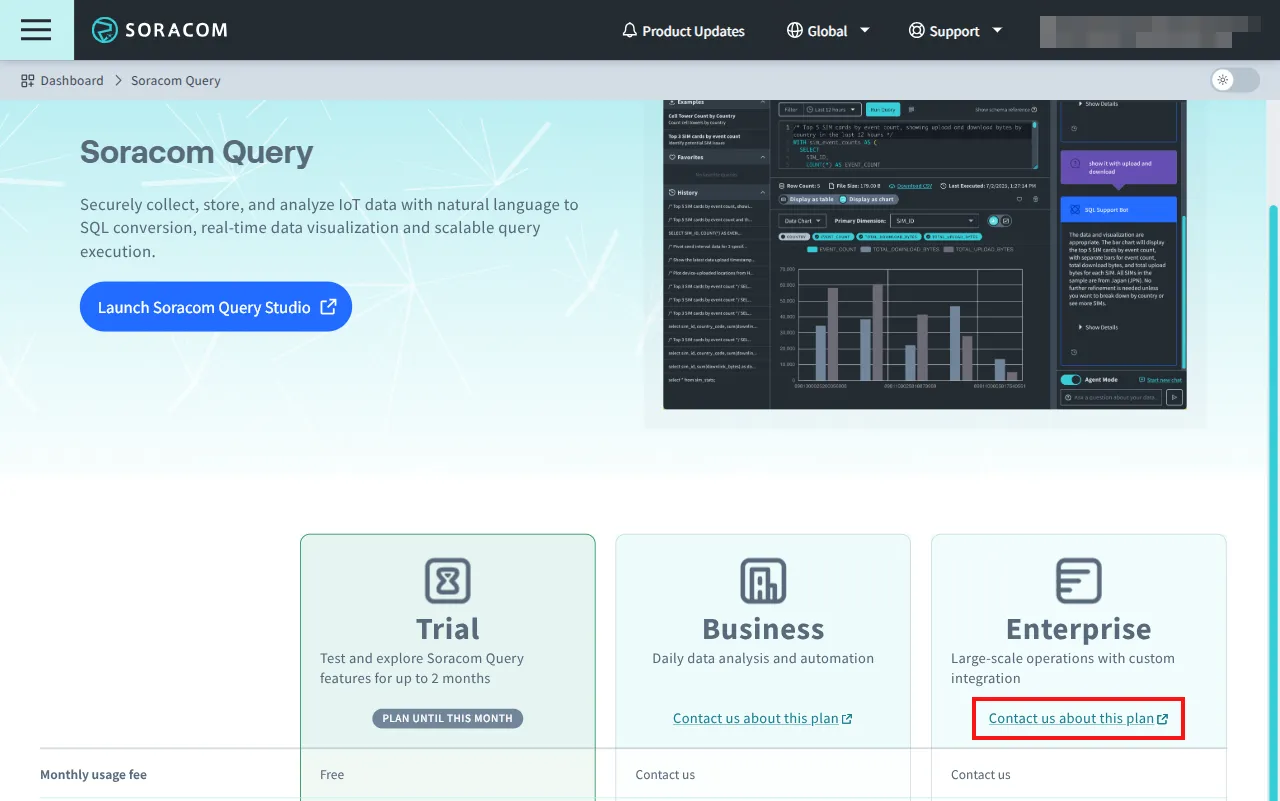
A Soracom representative will contact you to discuss your requirements and prepare a custom plan.
Terminating a Plan
To cancel a plan, simply follow the steps above and click Terminate plan for the plan that you are currently subscribed to.