Each paid Soracom Query plan includes a number of queries per month, while the Free plan includes a total allowance of free queries. Every query executed against your data counts toward your allowance, whether you run it from the User Console, from Soracom Query Studio, or via the API.
A single question does not always mean a single query. When the SQL Assistant runs in Agent Mode, it may run several queries to answer one question, and each of those counts. See Query Counting for exactly which queries are counted and which are not.
Checking Plan Usage
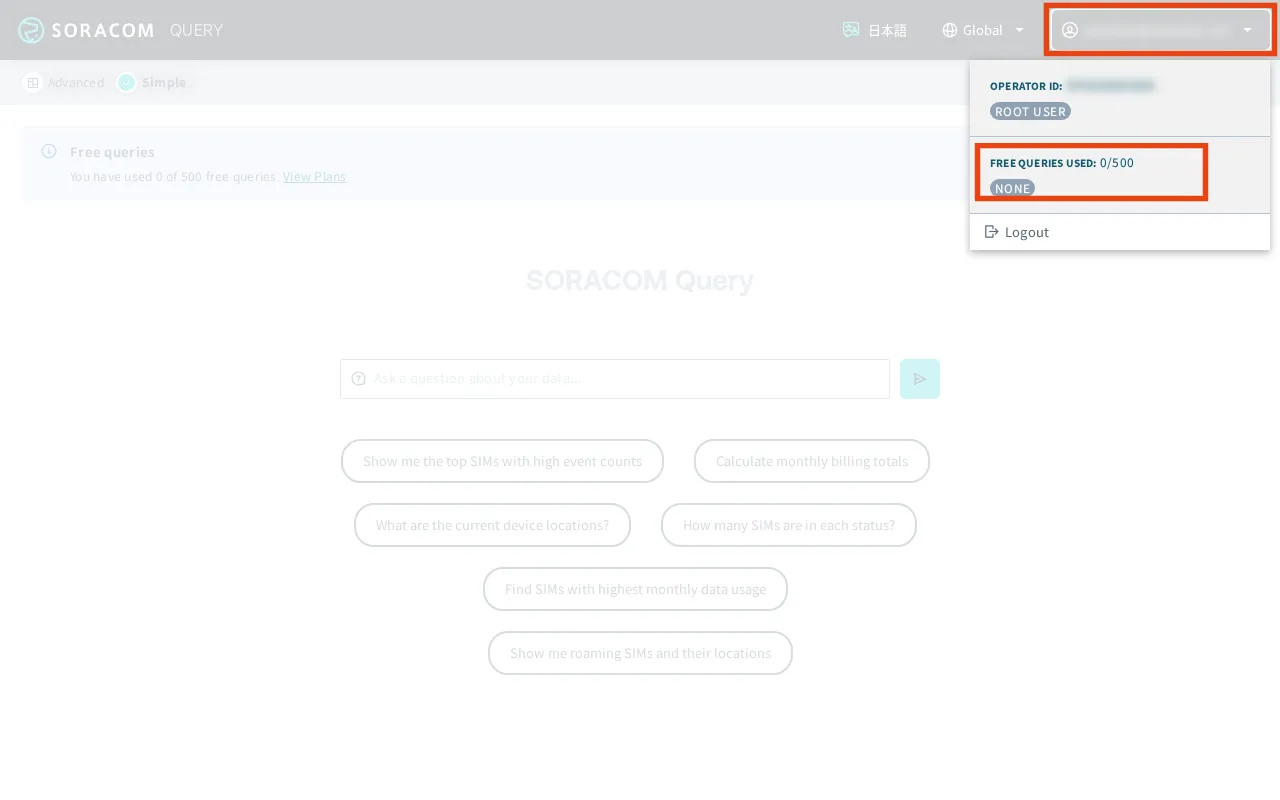
You can check your current plan usage in the Soracom Query Studio in the User Console.
-
Sign in to the User Console as the Root user and select the appropriate coverage type.
-
From the Menu, expand Soracom Query and select Soracom Query.
-
Access Soracom Query Studio by clicking Launch Soracom Query Studio.
-
Click the button displaying your username in the upper-right corner to view your plan usage.